
GPT-5.4 was used for assistance in writing this article. More details to come later.
Recovering 86-DOS From Paper
A friend recently asked if I could help turn a stack of old tractor-related listings into text. That sounded like a straightforward OCR job until I learned what was actually on the paper: source code from a historic version of 86-DOS. At that point the task stopped feeling like routine digitisation and started feeling like software archaeology.
The interesting part was not only that the listings were old, but that they had been produced by an old mechanical printer whose behaviour was still visible in every line. Modern OCR systems are happiest when text sits on a stable grid. These pages did not. Characters drifted slightly. Line spacing wandered. Margins were inconsistent. The paper carried the physical signature of the machine that made it, and that signature had to be removed before the code could be recovered.
So the project turned into a computer vision pipeline rather than a simple OCR pass. I built the workflow in Python with OpenCV, gradually moving from “clean up the page” to “model the geometry of a temperamental line printer.” The result was a process that aligned each page, stripped away noisy artifacts, estimated the underlying monospace grid, and then carved the page back into individual character cells.
Step 1: Recover The Page Geometry
The first job was to get the pages into a consistent frame. The scans included coloured alignment marks, sprocket holes, and a fair amount of skew. Rather than trying to guess the page boundary from the text itself, I used the page furniture. In some cases the green border was enough to detect the contour; in others, the sprocket holes along each side provided a more reliable reference.
~/dev/projects/ocr/main.py:def generate_green_mask(image):
lab = cv2.cvtColor(image, cv2.COLOR_BGR2LAB)
a_channel = lab[:, :, 1]
blur = cv2.GaussianBlur(a_channel, (5, 5), 0)
_, mask = cv2.threshold(blur, 0, 255,
cv2.THRESH_BINARY_INV + cv2.THRESH_OTSU)
return cv2.medianBlur(mask, 5)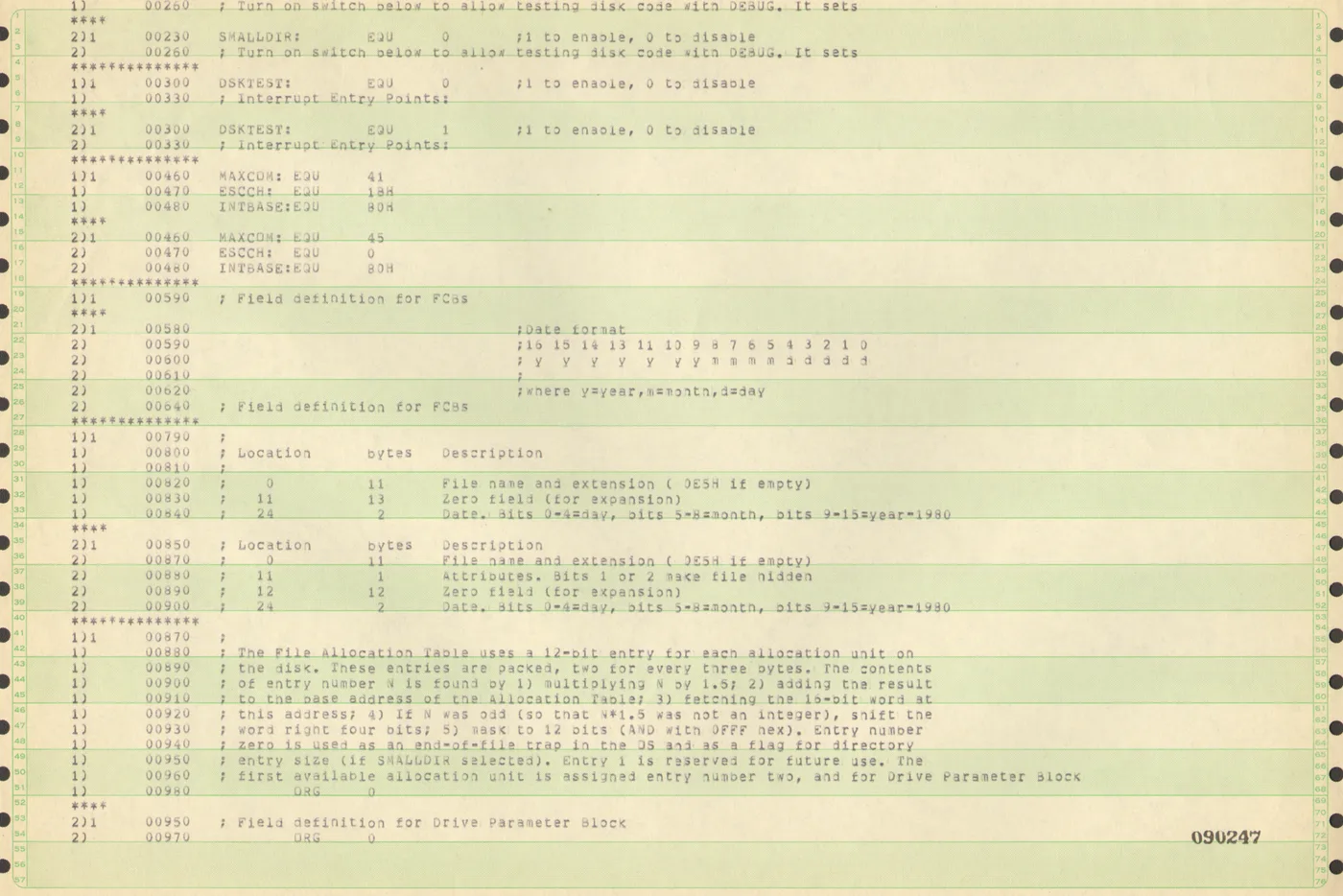
This was the first point where the project became more physical than textual. The work was less about words than about landmarks: edges, stripes, hole positions, and skew angles. Before any character could be recognised, the page had to be treated as an object in space.
Step 2: Turn The Print Into A Usable Signal
Once aligned, the pages still needed cleanup. Old listings are full of things OCR engines do not love: faint streaks, bold horizontal rules, uneven ink density, and scanner noise around the margins. I used a combination of adaptive thresholding and morphological filtering to separate the printed ink from the page background while preserving punctuation and small glyphs.
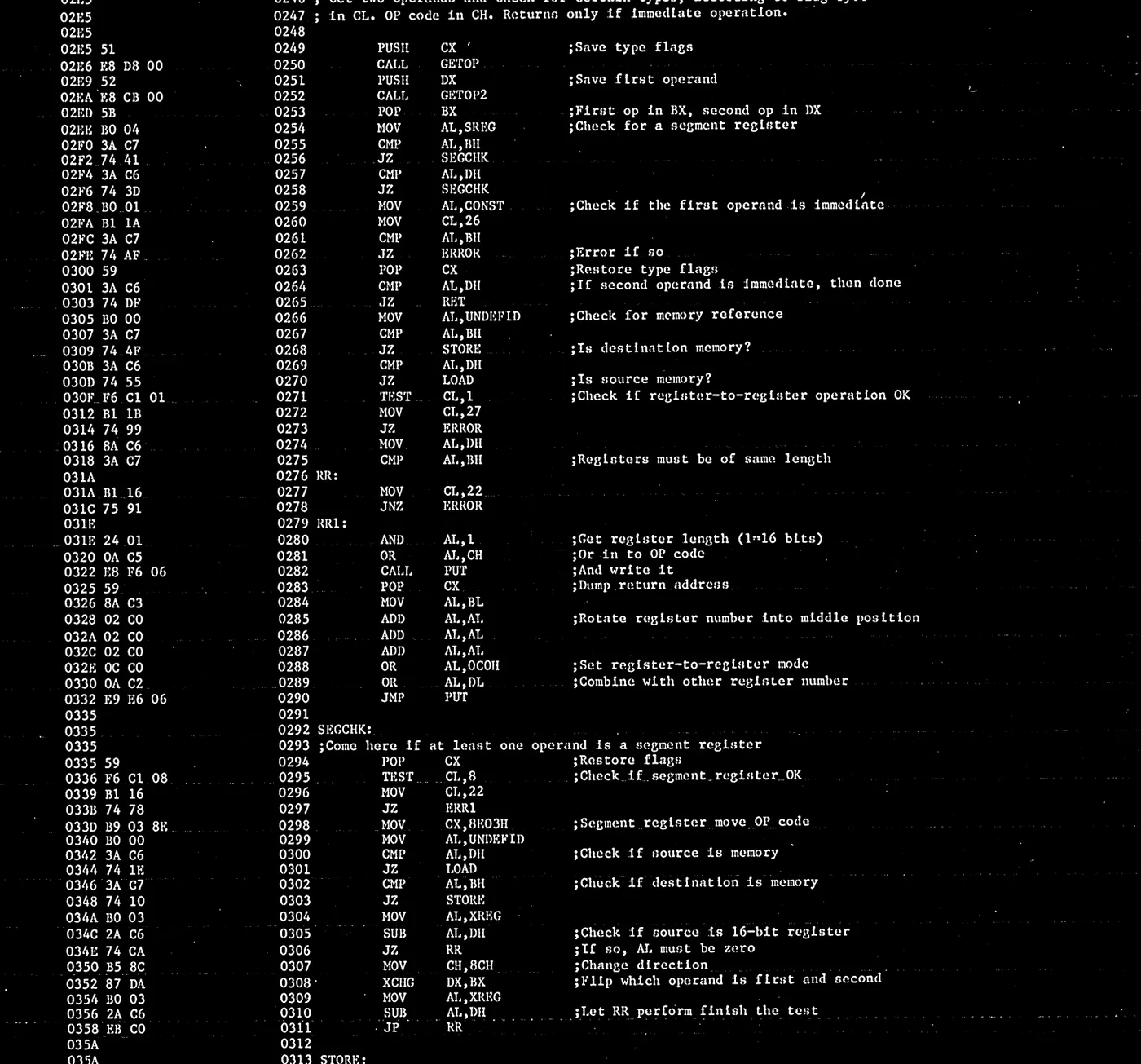
At this stage the page finally started to look machine-readable, but that was also where the central problem became obvious. The printer had not landed every character in exactly the same place. There was enough mechanical variance that a naive “find all blobs, then group them into lines” approach would keep tripping over itself.
Step 3: Estimate The Grid Instead Of Trusting OCR
The breakthrough was to stop treating the page as free-form text and instead recover the monospace grid that the printer had been aiming for. The code projects the binarised image onto both axes, computes autocorrelation over those signals, and then searches for the row and column pitch that best matches the observed pattern.
corr_col = correlate(vert_profile, vert_profile, mode="full")
corr_col = corr_col[corr_col.size // 2:]

peaks, _ = find_peaks(corr_col[6:], distance=5)
coarse_pitch_col = peaks[0] + 6
col_pitch, col_phase, col_score = optimize_grid_parameters(
    vert_profile,
    min_pitch=max(17, coarse_pitch_col - 3),
    max_pitch=max(23, coarse_pitch_col + 3),
    iterations=160,
)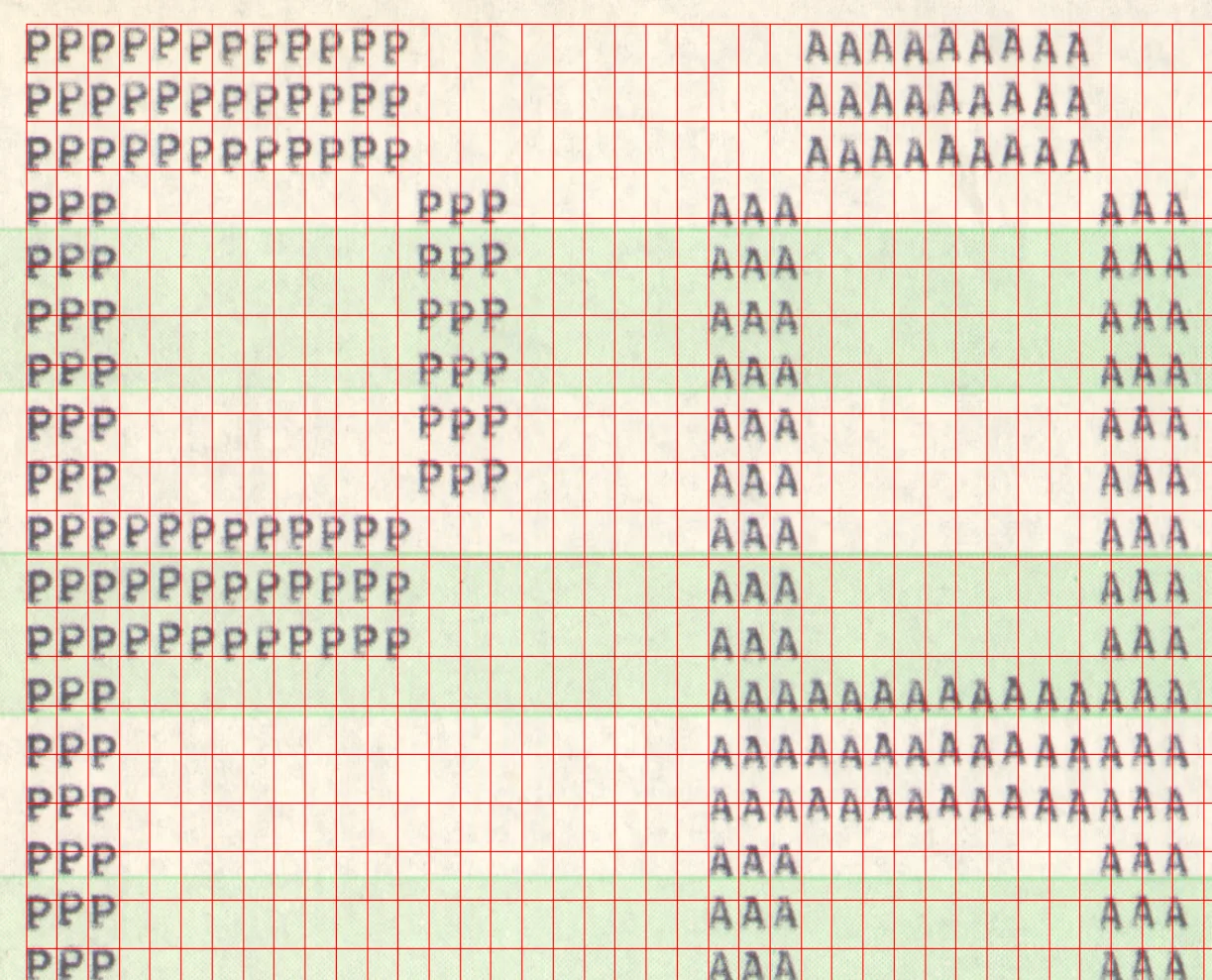
That detail matters because it changes what “OCR” means here. I was not simply asking software to read a page. I was first asking it to infer the intended structure of a half-century-old printing process, then using that structure to decide where characters probably lived.
Step 4: Pull Out Character Cells
Once the row and column geometry were known, segmentation became much more reliable. Instead of looking for whatever connected components happened to emerge from the page, the code iterated over the ideal character cells and checked whether each cell contained enough ink to count as a symbol. In other words, the page was reconstructed as a grid first and interpreted as text second.
for r_idx, y_start in enumerate(y_coords):
    for c_idx, x_start in enumerate(x_coords):
        roi = binary[slice_y1:slice_y2, slice_x1:slice_x2]
        ink_sum = np.sum(roi) / 255.0

        if ink_sum > 2.0:
            box["kind"] = "char"
        else:
            box["kind"] = "space"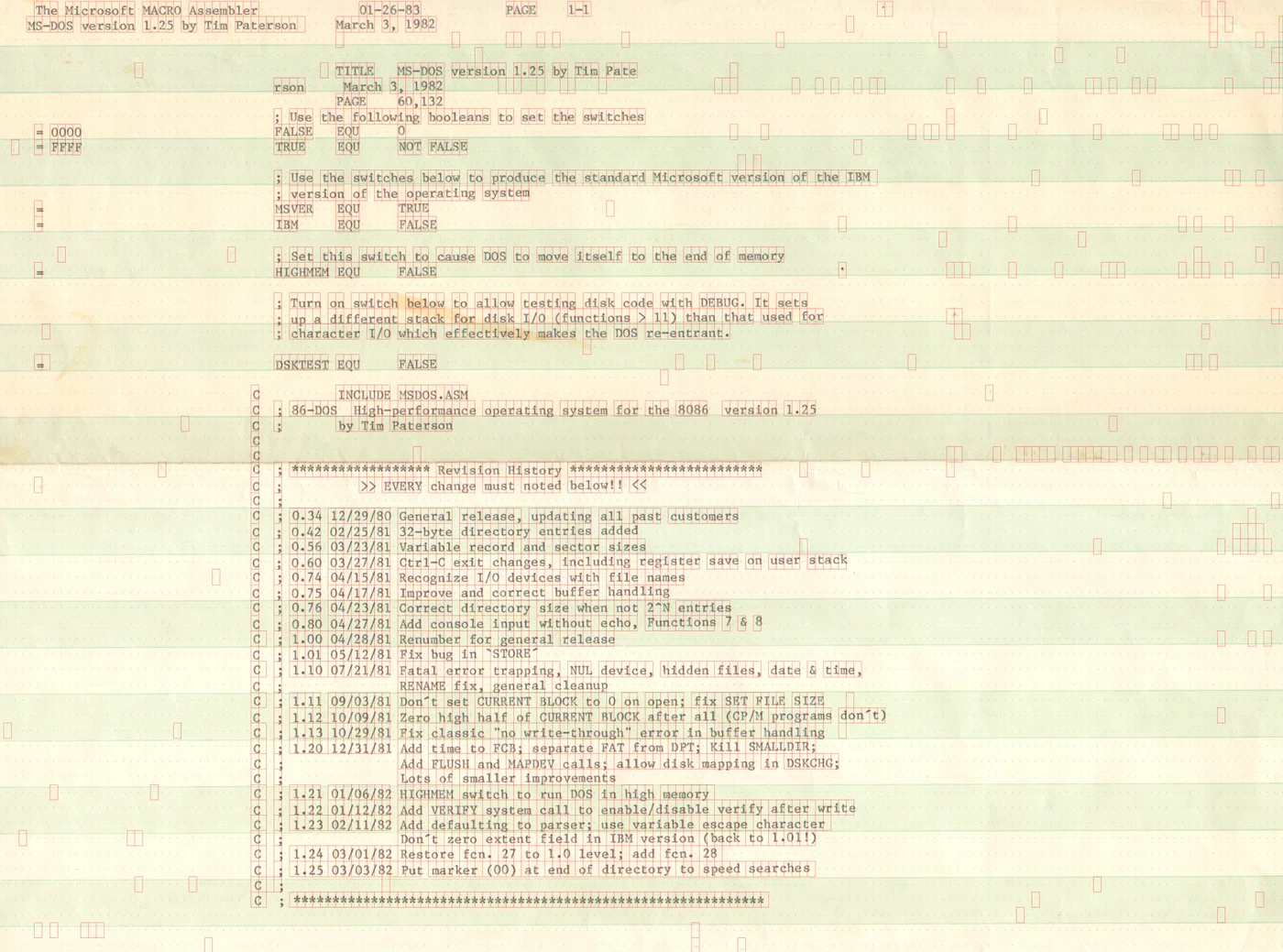
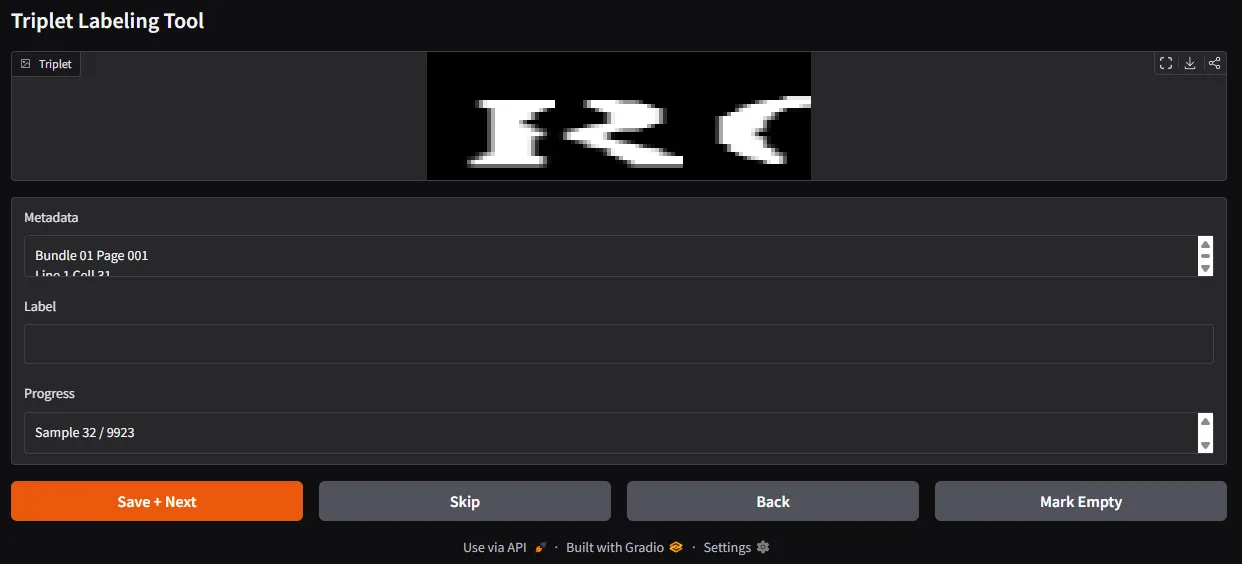
I also built a lightweight labeling interface to inspect the extracted characters and check edge cases. On this kind of job, tooling matters almost as much as the algorithm. Being able to quickly inspect what the pipeline believed it had found is often the difference between a fragile demo and a usable workflow.
What The Project Was Really About
What I enjoyed most about this work was that it sat exactly at the boundary between software and hardware history. We often talk about preservation as if it were only a matter of recovering files, formats, and source trees. But paper listings preserve much more than source code. They preserve the timing, spacing, and imprecision of the machine that printed them.
In that sense, the real task was not “run OCR on an old page.” It was “understand how an old printer failed to be perfectly repeatable, then build a system that can compensate for that.” That is a far more interesting problem. It is also a useful reminder that computer vision tends to become compelling the moment it leaves the clean world of benchmarks and meets the stubbornness of real artifacts.
The code on these pages may have been historic 86-DOS, but the broader lesson was about assumptions. Modern tools quietly assume regularity everywhere: straight lines, steady spacing, stable alignment. Old machines do not care about those assumptions. If you want to recover what they produced, you have to meet them on their own terms.